Web application security is the process of protecting websites, web applications, and APIs from various threats and vulnerabilities that could lead to unauthorized access, data breaches, or misuse of sensitive information. Given the rapid growth of web technologies and cyber threats, implementing strong security measures is critical to protect both your users and your system.
Key Areas of Web Application Security
Here are the most critical areas that every web application should address to ensure a secure environment:
1. Authentication & Authorization
- Authentication is the process of verifying the identity of a user (e.g., username and password).
- Authorization ensures that authenticated users have the appropriate permissions to access specific resources.
Best Practices:
- Use Strong Passwords: Enforce strong password policies (e.g., a mix of uppercase and lowercase letters, numbers, and symbols).
- Multi-factor Authentication (MFA): Implement multi-factor authentication for an additional layer of security (e.g., a combination of a password and a one-time code sent via SMS or email).
- JWT (JSON Web Tokens): Use secure token-based authentication for session management.
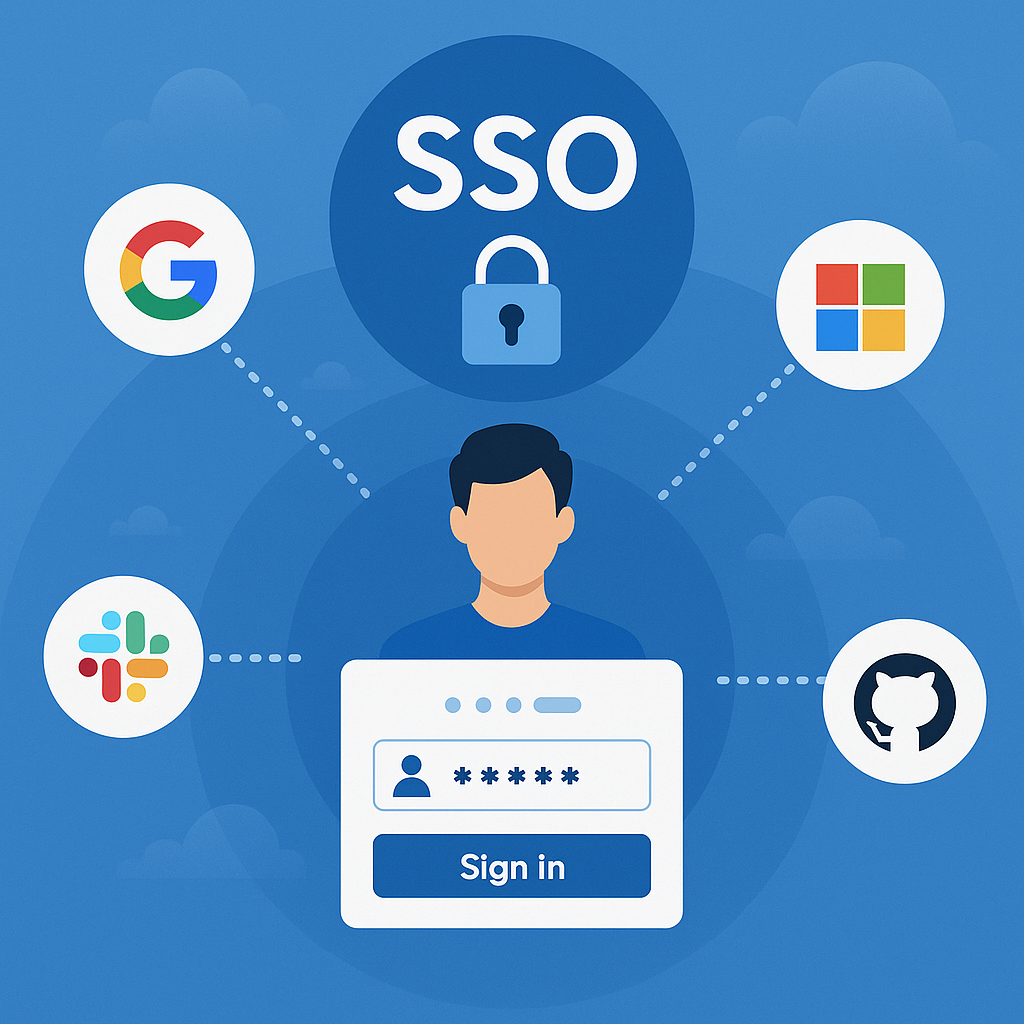
- OAuth2: Leverage OAuth for securing APIs, especially for third-party integrations (e.g., Google, Facebook logins).
- Role-Based Access Control (RBAC): Ensure that users are granted only the minimal necessary access to resources based on their roles.
2. Data Protection and Encryption
- Data Encryption: Ensure sensitive data (e.g., passwords, personal details, credit card information) is encrypted both in transit and at rest.
- In Transit: Use HTTPS (SSL/TLS) to encrypt data transmitted over the network. All communication between the client and server should be encrypted.
- At Rest: Encrypt sensitive data stored in databases or files.
Best Practices:
- Use HTTPS: Always use HTTPS to ensure that data is encrypted during transmission. Use tools like Let's Encrypt to set up free SSL certificates.
- Encrypt Passwords: Never store passwords in plain text. Use hashing algorithms (e.g., bcrypt, Argon2) to securely store passwords.
- Data Masking: When displaying sensitive data (like credit card numbers), use data masking techniques (e.g., showing only the last four digits).
3. SQL Injection Prevention
SQL Injection is one of the most common attack vectors, where malicious users can inject SQL commands into your database queries, potentially allowing unauthorized access or even data manipulation.
Best Practices:
- Prepared Statements and Parameterized Queries: Always use parameterized queries or prepared statements (e.g., in SQL,
SELECT * FROM users WHERE id = ?), which ensure that user input is treated as data, not executable code. - ORMs (Object-Relational Mappers): Use ORM libraries (e.g., SQLAlchemy for Python) to abstract database queries and help prevent SQL injection attacks.
- Input Validation: Validate and sanitize user input to ensure it adheres to expected patterns and data types.
Performance optimization:
- caching strategies
- minimizing network requests
- improving code effiency.
4. Cross-Site Scripting (XSS) Prevention
XSS allows attackers to inject malicious scripts into web pages viewed by other users, which can be used to steal session cookies, deface web pages, or perform other malicious actions.
Best Practices:
- Sanitize User Input: Always sanitize and validate user inputs to prevent script injection.
- Escape Output: When displaying user input in your web page (e.g., in comments or form fields), escape special HTML characters (e.g.,
<,>,&). - Content Security Policy (CSP): Implement a Content Security Policy to restrict the types of content that can be executed on the page.
- Use Frameworks with XSS Protection: Modern web frameworks (e.g., React, Angular) have built-in XSS protection to escape user-generated content.
5. Cross-Site Request Forgery (CSRF) Prevention
CSRF allows an attacker to perform actions on behalf of an authenticated user without their consent by submitting unauthorized requests.
Best Practices:
- Anti-CSRF Tokens: Use anti-CSRF tokens for state-changing requests (e.g., form submissions, login, or password changes). These tokens ensure that the request comes from a trusted source.
- SameSite Cookies: Use
SameSitecookies to prevent browsers from sending cookies along with cross-site requests. - Double Submit Cookies: Send the CSRF token in both the cookie and as a request parameter. The server checks if both tokens match.
6. Session Management
Poor session management can lead to various security issues, including session hijacking or fixation.
Best Practices:
- Session Expiry: Ensure that sessions expire after a certain period of inactivity.
- Secure Cookies: Set the
SecureandHttpOnlyflags on session cookies to ensure they are transmitted over HTTPS and are not accessible via JavaScript. - Session Tokens: Use secure, random session tokens that are hard to guess.
- Re-authentication for Sensitive Actions: For actions like changing the password or transferring money, prompt the user to re-authenticate.
7. Error Handling and Logging
Exposing too much detail in error messages can provide attackers with valuable information about your system.
Best Practices:
- Detailed Logging: Log relevant information (e.g., login attempts, errors, and unusual activity) to detect and investigate security issues.
- Error Messages: Avoid displaying detailed error messages to end-users (e.g., don't expose stack traces or database errors). Provide generic error messages.
- Monitor Logs: Regularly review logs and set up automated monitoring to detect suspicious activity.
8. File Upload Security
Allowing users to upload files opens up the possibility for attacks like uploading malicious scripts, executable files, or large files that could affect server performance.
Best Practices:
- File Type Validation: Restrict the types of files users can upload (e.g., only allow image files like
.jpg,.png). - Limit File Size: Limit the size of uploaded files to avoid DoS attacks (e.g., uploading very large files).
- Store Files Safely: Store uploaded files outside the web root directory to avoid direct access via URLs.
- Rename Uploaded Files: Rename uploaded files to avoid conflicts and to prevent malicious file execution.
9. Security Headers
HTTP headers provide important security instructions to the browser and client. Misconfiguring these headers can leave your site vulnerable.
Key Security Headers:
- X-Content-Type-Options: Prevent browsers from interpreting files as a different MIME type (e.g.,
X-Content-Type-Options: nosniff). - Strict-Transport-Security (HSTS): Enforce secure connections only (HTTPS).
- X-Frame-Options: Prevent your site from being embedded in an iframe (e.g.,
X-Frame-Options: DENY). - X-XSS-Protection: Enable cross-site scripting filter (e.g.,
X-XSS-Protection: 1; mode=block). - Content-Security-Policy (CSP): Limit the sources from which content can be loaded (e.g.,
default-src 'self';).
10. Vulnerability Scanning & Penetration Testing
To continuously monitor and identify potential vulnerabilities in your application, regular vulnerability scanning and penetration testing are critical.
Best Practices:
- Automated Scanning: Use tools like OWASP ZAP, Nessus, or Qualys to automate the process of finding security flaws.
- Penetration Testing: Regularly conduct penetration tests (ethical hacking) to identify vulnerabilities that automated tools may miss.
- Patch Management: Keep software dependencies, libraries, and frameworks up-to-date with security patches.
11. Security Best Practices for APIs
If your web application communicates with other services via APIs, consider the following best practices:
Best Practices:
- API Authentication: Use API keys, OAuth, or JWT to authenticate API requests.
- Rate Limiting: Limit the number of requests to your APIs to prevent brute force or DDoS attacks.
- Input Validation: Validate all API inputs to prevent malicious data from entering your system.
- Use HTTPS for All API Requests: Ensure that all communication between clients and your APIs is encrypted.
Conclusion
Securing a web application involves multiple layers of protection across various attack vectors. Implementing robust authentication and authorization, protecting sensitive data, preventing common attacks (like SQL Injection, XSS, and CSRF), and ensuring good session and error management are foundational steps.
Key Takeaways:
- Authentication & Authorization: Ensure proper user authentication and granular authorization.
- Data Protection: Use encryption and follow best practices for handling sensitive information.
- Vulnerability Prevention: Always sanitize inputs, validate user data, and secure your APIs.
- Regular Audits: Perform regular security audits, penetration testing, and monitor logs to detect threats early.
By applying these security best practices, you can greatly reduce the risk of attacks and build a more secure, reliable web application for your users.
What is Web Application Security? Web application security refers to the process of protecting websites and online services against different security threats that exploit vulnerabilities in an application's code. These vulnerabilities may exist in both the application logic and its infrastructure.
Why is It Important? As more businesses move online, the surface area for attacks expands. In the digital world, hackers constantly seek ways to gain unauthorized access, disrupt services, or steal sensitive information. A secure web application ensures the confidentiality, integrity, and availability of data.
Key Statistics:
- According to the Verizon Data Breach Investigations Report (DBIR), over 40% of data breaches involve web applications.
- OWASP ranks web vulnerabilities like XSS and SQL Injection among the top 10 security threats every year.
- Cybercrime damages are predicted to reach $10.5 trillion annually by 2025.
Why Web Application Security Matters
1. Threats to Business Reputation and Data Breaches can lead to loss of trust, decreased customer retention, and long-term brand damage.
2. Financial and Legal Consequences
- Non-compliance with standards such as GDPR, HIPAA, and PCI-DSS can lead to hefty penalties.
- Businesses may face lawsuits, regulatory scrutiny, and costly remediation efforts.
3. Real-World Hack Examples
- Equifax Breach (2017): 147 million users' sensitive information exposed due to an unpatched Apache Struts vulnerability.
- Yahoo Breach (2013–2014): Over 3 billion accounts compromised because of weak encryption and poor monitoring.
3. Common Web Application Vulnerabilities
3.1 SQL Injection (SQLi)
Explanation: Attackers inject malicious SQL commands via input fields, gaining access to or manipulating the database.
Example:
SELECT * FROM users WHERE username = 'admin' --' AND password = 'password';Prevention:
- Use parameterized queries or prepared statements.
- Employ Object Relational Mappers (ORMs) like SQLAlchemy or Django ORM.
3.2 Cross-Site Scripting (XSS)
Explanation: Malicious scripts are injected into trusted websites and executed in users' browsers.
Types:
- Stored XSS: Persisted in the database.
- Reflected XSS: Reflected off a web server, e.g., via a query string.
Prevention:
- Validate and sanitize all user inputs.
- Escape output properly before rendering it in the browser.
3.3 Cross-Site Request Forgery (CSRF)
Explanation: Tricks users into executing unwanted actions on a web application where they’re authenticated.
Prevention:
- Use CSRF tokens.
- Implement SameSite cookie attributes.
3.4 Insecure File Uploads
Risks:
- Attackers upload executable code or malware.
- Gaining shell access to the server.
Prevention:
- Restrict file types (e.g., only JPEG, PNG).
- Set file size limits.
- Rename uploaded files and scan them.
- Store in non-executable directories.
3.5 Broken Authentication & Session Management
Risks:
- Session hijacking or credential stuffing.
Best Practices:
- Use multi-factor authentication (MFA).
- Implement JWTs with expiry times.
- Secure cookies with
HttpOnly,Secure, andSameSiteflags.
3.6 Security Misconfiguration
Explanation: Improper settings like verbose error messages, open ports, default credentials, etc.
How to Prevent:
- Regularly audit your server and application configurations.
- Use automated security tools for scanning.
3.7 Sensitive Data Exposure
Risks:
- Transmitting or storing data in plaintext.
Prevention:
- Use TLS/HTTPS for secure transmission.
- Hash passwords using strong algorithms like bcrypt.
- Avoid logging sensitive data.
Web Application Security Best Practices
- Enable HTTPS across the entire site.
- Use secure HTTP headers:
Content-Security-Policy,X-Content-Type-Options,X-Frame-Options, etc. - Keep all dependencies and libraries updated.
- Perform regular vulnerability scanning.
- Use CORS policies wisely.
- Apply the Principle of Least Privilege (PoLP).
- Enable logging and monitoring to detect anomalies.
- Deploy a Web Application Firewall (WAF).
Tools for Web Application Security
Static Code Analysis:
- SonarQube
- Bandit (Python)
Dynamic Analysis Tools:
- OWASP ZAP
- Burp Suite
Dependency Scanning:
- Snyk
- Dependabot (GitHub)
Container Security:
- Trivy
- Aqua Security
Web Application Security Checklist
- HTTPS is enforced site-wide
- Passwords are hashed securely (e.g., bcrypt)
- CSRF and XSS protections implemented
- Secure cookies with proper flags
- Periodic code reviews and vulnerability scans